

How South Africans Can Access and Use deriv.com Login
🔐 Learn how South African users can easily access and secure their deriv.com accounts. Get practical tips on login steps, solving issues, and optimising your experience.
Edited By
Amelia Foster
Signing in to Deriv is your first step into the world of online trading, where real opportunities meet the South African market. While the process might seem straightforward, knowing what to expect before you start can save you time and avoid frustration.
Deriv is widely used by traders and investors for its user-friendly platform and variety of assets including forex, commodities, and indices. For South African users, the key is to ensure your account access is secure and smooth, especially given internet fluctuations and data costs here.

This guide will walk you through what you need to sign in efficiently – from required details to common pitfalls. Whether you’re logging in on your desktop or using the Deriv app on your mobile, the basics remain the same. You'll want to have your username or registered email and your password handy. If you’re new, creating your account first is essential, which involves identity verification according to South African regulations like FICA (Financial Intelligence Centre Act).
Keep your login details private and avoid using public Wi-Fi when accessing your Deriv account to protect against hacking attempts.
On top of that, South African users should also be aware that strong internet connectivity will influence your experience, particularly during times of loadshedding when network services can be patchy. Having a backup connection or prepaid data can make a difference.
Later sections will cover step-by-step instructions, troubleshooting tips, and how to handle security checks like two-factor authentication (2FA). For now, gathering your details and understanding the context around your sign-in sets the stage for a hassle-free experience on Deriv.
Getting started with accessing your Deriv account is the foundation for smooth trading. Before you even think about placing trades, understanding how to register and sign in safely sets you up for success and avoids unnecessary hiccups. For South African users, this initial step demands special attention to local regulations and practical details.
When registering on Deriv, you’ll need to provide a valid email address, a strong password, and some personal information including your full name and contact details. Picking a reliable email is crucial, since you’ll receive important correspondence like account verification and password reset links there. For example, many South Africans often use the same email for banking and trading; keeping these separate can enhance security.
Deriv also asks you to choose your account type — be it synthetic indices, forex, or options trading — which tailors the platform to your trading needs. This initial choice influences not only your dashboard but also available trading instruments and assets.
South African regulations require online trading platforms to verify user identities to curb fraud and meet Financial Intelligence Centre Act (FICA) rules. You'll need to submit a clear copy of your South African ID or passport, plus proof of address such as a recent utility bill or bank statement not older than three months.
This step isn't just about ticking boxes; it protects both you and the platform. For instance, it prevents unauthorised withdrawals or account takeovers — no trader wants their funds stuck or compromised because verification was left incomplete.
Signing in means using the email and password you registered with. Make sure you type your email address carefully, paying attention to common slip-ups like missing dots or swapped letters — "gmal" instead of "gmail" happens more often than you'd think.
Deriv also allows signing in through Google or Facebook accounts for convenience, though using your dedicated email and strong password remains highly recommended for extra security. Once logged in, you get access to your personalised trading interface immediately.
Deriv takes several steps to guard your account as you sign in. For example, the platform uses HTTPS connections with SSL certificates to encrypt your data, stopping it from being intercepted on public Wi-Fi networks that many South Africans rely on.
Moreover, Deriv often prompts for two-factor authentication (2FA), sending a code to your mobile device. This means even if a password falls into the wrong hands, your account remains locked without the secondary code. Setting up 2FA adds a solid layer of defence that prevents unauthorised logins.
Always double-check you’re on the official Deriv website before entering your details to avoid phishing traps, a common fraud tactic that targets traders eager to get started.
Getting the basics right for your Deriv account access not only lays the groundwork for smooth trading but also shields you from common issues down the line. Keep these points in mind as you step into the trading arena.
Signing in to Deriv correctly is the first step towards a smooth trading experience, especially for South African traders navigating the platform for the first time. This guide highlights key actions to take—from finding the right website or app to inputting login details accurately—so users avoid common pitfalls and get trading without delays.
Navigating to the official Deriv platform ensures that your login details and personal data remain secure. South African users should always type the website address directly into their browser or use the official Deriv app downloaded from trusted sources like the Google Play Store or Apple App Store. Avoid clicking on links from emails or third-party ads as these can lead to phishing sites mimicking Deriv’s platform.
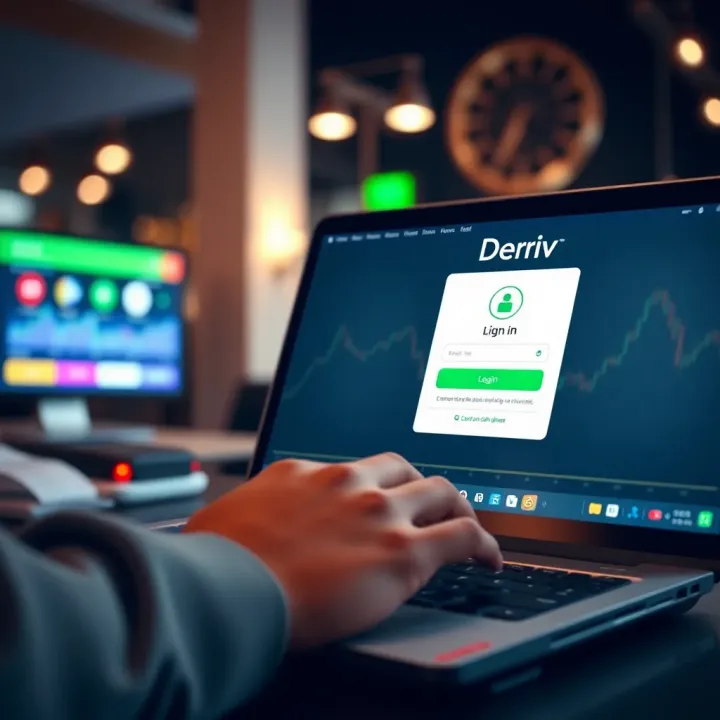
For those who prefer mobile trading, installing the Deriv app offers a convenient way to manage trades on the go. Make sure your mobile device meets the minimum requirements and that you have a stable internet connection before starting the download. South African mobile users, especially those on limited data plans, might appreciate that the app is optimised for efficiency, reducing unnecessary data usage.
Entering your email and password correctly is crucial. Use the same email address you registered with and double-check that Caps Lock isn’t on by mistake; it’s a common issue that can cause login failures. For passwords, Deriv requires a strong combination of letters, numbers, and symbols, so input every character exactly as you set it.
Alternatively, Deriv supports logging in through social media accounts or Google credentials, providing a quicker route without typing passwords each time. This option works well for South African users who regularly use Google services or social platforms and prefer a single sign-on experience. Still, be mindful of the security settings on these accounts to prevent any unauthorised access.
When logging in, always look for the secure padlock icon in the browser's address bar and ensure the URL starts with "https". This confirms you’re on the protected Deriv site, an important step to safeguard your funds and personal information.
By following these straightforward steps, South African traders can confidently get into their Deriv accounts and focus on trading rather than troubleshooting access issues.
Managing common sign-in problems is essential for South African traders using Deriv. Login issues can disrupt trading plans and potentially lead to missed opportunities, especially in volatile markets. Understanding how to reset your password or deal with account lockouts swiftly can keep your trading uninterrupted and your account secure.
If you find yourself locked out because you forgot your password, initiating a password recovery is the quickest way back in. Deriv provides a straightforward password reset option on the login page. Typically, you'll need to enter your registered email address to receive a password reset link. This process helps verify your identity without exposing your account to risk.
For South African users, it’s crucial to check your spam or junk folder if you don’t see the reset email in your inbox – local email filters can sometimes misdirect these messages. Initiating password recovery promptly reduces downtime and keeps your account active.
To reset your password securely, Deriv requires users to provide information that confirms they own the account. This usually means clicking a secure link sent via email and then choosing a new password that meets specific criteria, such as a minimum length and use of both letters and numbers.
Choosing a strong and unique password is especially important to protect your account from fraud or hacking attempts. Avoid obvious choices like "password123" or repeating your usual PINs. Instead, mix upppercase and lowercase letters with numbers and special characters. This simple step increases your account’s defence against unauthorised access.
Temporary lockouts usually happen after multiple failed login attempts — say you or someone else enters the wrong password too many times. This is a security measure clicking in to prevent brute-force attacks. Sometimes, lockouts can also result from suspected suspicious activity, such as login attempts from unfamiliar devices or different locations.
In South Africa, where internet connections can be unstable at times, accidental lockouts through repeated incorrect entries happen regularly. Understanding this helps you remain calm and take the right steps instead of panicking or trying to bypass the rules.
To regain access after a lockout, wait for the lockout period to expire — this can vary from a few minutes up to an hour, depending on Deriv’s security settings. During this time, avoid further login attempts to prevent extending the lockout.
If you urgently need access, contacting Deriv’s support through official channels is the way forward. Provide your registered email and any requested verification details to speed up the process. Making sure you follow these steps avoids unnecessary delays and keeps your account safe.
Remember: Secure sign-in practices are your best bet to avoid disruptions. Being prepared for common login issues means you can stay focused on trading, not troubleshooting.
Keeping your Deriv account secure during sign-in is vital to protect your funds and personal information. Online trading platforms attract attention from cybercriminals, so taking practical steps to verify the authenticity of websites and apps, and enabling additional security layers, safeguards your trading activity. For South African users dealing with fluctuating markets, a secure login means peace of mind and uninterrupted access.
Always make sure you use the official Deriv website or app when logging in. Scam sites or cloned apps mimic the look of Deriv to steal your login details. Deriv’s official URLs typically start with “https://deriv.com”. Bookmark the site to avoid accidentally typing the wrong address.
For mobile trading, download the Deriv app only from recognised stores like Google Play or the Apple App Store. Avoid third-party app stores, which can host compromised versions. Checking reviews and the developer information also helps confirm the app’s legitimacy.
Before entering your login details, check the website address for a padlock icon in the address bar. This indicates the site uses SSL encryption, protecting data sent between your browser and Deriv’s servers. Without SSL, your credentials could be intercepted by hackers on unsecured networks.
Also, make sure the URL starts with "https" rather than just "http." Many browsers now warn users about unsafe sites, but don’t rely on these alone—if the connection looks suspicious or the SSL certificate is expired, avoid signing in until the issue is resolved.
Two-factor authentication adds a second layer beyond your password, making it much harder for unauthorised users to access your account. After enabling 2FA, you’ll need to enter a code sent to your mobile device or generated by an app, every time you sign in.
Setting up 2FA on your Deriv account is straightforward. Once activated, even if your password is compromised, attackers cannot log in without access to your second factor. This is especially important for South African traders using public or shared networks, where password theft risks increase.
Deriv supports several 2FA methods. The most common is an authenticator app like Google Authenticator or Authy. These apps generate time-limited codes that refresh every 30 seconds without needing internet access.
SMS-based 2FA is also offered, where you receive a code via text message. Although convenient, SMS is less secure than app-generated codes due to risks like SIM swapping. For the tightest security, authenticator apps are recommended.
Staying vigilant with secure login practices and enabling two-factor authentication can prevent most account breaches and ensure your trading remains uninterrupted and safe on Deriv.
When it comes to logging into your Deriv account, a smooth and secure sign-in experience is crucial. It not only saves time but also protects your funds and personal information. South African users should be particularly alert as cyber scams can be more targeted and sophisticated here. Following practical tips helps you avoid common pitfalls and hassles, ensuring you can trade or invest without unnecessary interruptions.
Phishing is a common trick where fake emails or websites mimic Deriv's official communications to steal your login details. Such emails often create a sense of urgency — for example, warning that your account will be suspended unless you click a link. The key giveaways include misspelled words, suspicious email addresses, and links that don’t lead to the official Deriv domain.
Be cautious if an email asks for your password or financial information directly; legitimate companies like Deriv won’t request sensitive details by email. Always type the Deriv website address directly into your browser instead of clicking links in emails. Using bookmarks or official mobile apps reduces the chance of landing on a phoney platform.
If you ever suspect an email or message might be fake, verify it through Deriv's official support channels. South African users can contact Deriv support through their website’s live chat or designated email addresses found on verified parts of their site. Avoid responding to unsolicited WhatsApp or social media messages claiming to be from Deriv; scammers often use these to extract information.
Always check the source of any communication before sharing personal information. If in doubt, reach out to Deriv directly through trusted means.
Regular updates for your device's operating system and browsers patch security loopholes that hackers could exploit. In South Africa, where online fraud risks are high, neglecting updates can leave your device vulnerable. For example, an outdated browser might fail to flag a fake website or enable malicious scripts to run unnoticed.
Set your mobile and PC to update automatically, especially for critical security patches. This reduces the risk of exposure to malware or ransomware that could compromise your Deriv login.
Avoid signing into Deriv on public or shared Wi-Fi networks without additional protections like a virtual private network (VPN). Many coffee shops or shopping malls offer free Wi-Fi, but these connections can be unsecured, giving hackers easy access to intercept your login credentials.
For South African traders who often travel or rely on mobile data, stick to secure networks like your home fibre or mobile provider’s 4G/5G service. If you must use public Wi-Fi, connect through a reputable VPN to encrypt your traffic and mask your IP address from potential snoopers.
Maintaining device and network security alongside vigilance against scams dramatically lowers the chance of sign-in issues or account breaches. These straightforward steps help you keep control of your Deriv account and trade with confidence in the South African digital space.
🔐 Learn how South African users can easily access and secure their deriv.com accounts. Get practical tips on login steps, solving issues, and optimising your experience.
🔍 Explore Deriv broker's fees, platforms & account types. Find out if it's the right choice for South African traders seeking secure, versatile trading options.

🌍 Discover IFX Markets: a trusted platform for forex and more. Learn about accounts, safety, local trading tips, and how South Africans can trade smarter today.

Explore how Robotrader APK works, install it safely, and get tips tailored for South African traders. Learn risks and benefits for smart trading 📈🇿🇦
Based on 12 reviews