

Deriv Synthetic Accounts Explained for SA Traders
Explore deriv synthetic accounts in SA trading: how they work, risks, benefits, and regulatory aspects. Get clear tips for safer trading 🇿🇦📉📈
Edited By
James Lockhart
Accessing your Deriv trading account securely is the first step to managing your investments with confidence. For South African traders, understanding the login process and safety measures helps avoid common issues like unauthorised access or account lockouts.
Deriv offers various platforms such as the web trader, mobile app, and desktop software. Each requires the same secure entry methods, ensuring your details stay protected regardless of the device. This guide will explain how to log in, what credentials you need, and the security practices tailored to local users.
When you register for your Deriv account, you’ll create a unique username and a strong password. Your password should mix uppercase, lowercase, numbers, and symbols to withstand brute-force attacks. South African traders often forget the importance of a secure password, especially since cyber threats continue to rise locally.
Make use of the two-step authentication (2FA) option. By linking your account with an authenticator app or SMS verification, you add an extra lock against hackers trying to guess your details.
Visit Deriv’s official website or open the official mobile app.
Enter your username or registered email.
Type in your password carefully.
Complete 2FA verification if it's enabled.
Having a stable internet connection is key; slow or interrupted connections might cause login errors or session timeouts. Using VPNs based outside South Africa can sometimes trigger security alerts—best to log in directly from home or trusted networks.
Always check that the website URL starts with "https://" to confirm a secured connection before entering your details.
Forgotten passwords? Use the "Reset Password" link via your registered email.
Locked accounts due to multiple failed attempts require contacting Deriv support for verification.
Errors while logging in from mobile devices often relate to outdated app versions—keep your app up to date.
Understanding these basics sets a solid foundation for safe trading. Next up, we’ll explore managing your account details once you're logged in, including verifying your identity and linking payment methods securely.
Starting your journey with a Deriv account needs more than just entering credentials. Getting your login right sets the tone for safer and smoother trading experiences. It ties into keeping your funds and personal data secure from the off — no trader wants to spend time fixing issues when the market swings.
Creating a strong password is non-negotiable. Think of it as your first line of defence. Ideally, make it a mix of upper- and lower-case letters, numbers, and special characters — something unique that you don’t reuse on other platforms. For instance, a password like "Str0ng@Deriv2024" works much better than "password123". Avoid obvious picks such as your name or birth year. It might seem like a hassle at first, but it reduces catching the wrong kind of attention by hackers.
Using your registered email or mobile number is crucial because that’s how Deriv identifies you. Whether you use your email address or mobile number for logging in, make sure it's the one linked to your verified account. It helps prevent confusion or accidental lockouts. Say you switch mobile numbers without updating Deriv — your security codes could go to the wrong hands or get lost, which easily delays your login or verification processes.
Understanding user ID requirements clarifies what Deriv expects beyond email or mobile info. Your user ID might be a unique identifier that the platform uses internally but isn’t necessarily your email or phone number. Knowing this helps avoid missteps if you need to refer to it in support conversations. Always double-check how your account information is presented in the app or website and keep a note of your user ID somewhere safe.
Logging in via desktop browser is still the most common way many traders access Deriv. Browsers like Chrome, Firefox, and Edge generally provide full functionality and robust security features like HTTPS encryption. A desktop login makes it easier to view detailed charts and perform multiple actions at once. However, always update your browser to the latest version and avoid public computers or shared devices.
Using the Deriv mobile app fits well for traders on the move. The app offers a lightweight, optimised experience and handles notifications, so you never miss important market updates. For example, when you're waiting in a queue during a braai or on a taxi ride, pulling out your phone to check trades becomes a breeze. Just make sure you download the app straight from official sources — avoiding third-party sites reduces risk of malware.
Access from tablets and other devices offers flexibility. Tablets provide a middle ground between the portability of a mobile phone and the detailed screen space of a desktop. Whether you're sitting with your laptop on the stoep or catching a quick trade break on a tablet at the office, Deriv supports these devices for a reliable experience. Keep in mind that security settings and browser support on tablets might differ slightly from desktops, so stay vigilant with updates and permissions.
Starting off on the right foot with your login details and choosing the best device for your needs can save you time, reduce stress, and protect your investments while using Deriv.
Clear steps and good habits during login are a small investment with big payoffs in the world of trading.
Navigating your Deriv account starts with a proper login process. This step-by-step guide is crucial because it helps you avoid common pitfalls and secures your access to trading activities. After all, a smooth and safe login can save you heaps of stress, especially when markets shift quickly.
Phishing sites try to mimic the official Deriv platform, tricking users into handing over login details. To dodge these traps, always access Deriv through the trusted homepage. Check the URL carefully; scammers often create domains that look nearly identical but might have subtle spelling differences or extra letters. For instance, a link like "deriv-trade[dot]com" is likely fake compared to the official "deriv[dot]com".
Connecting via trusted hotspots or your own home network is also safer than using public Wi-Fi, as unsecured networks make it easier for hackers to intercept sensitive data.
Using secure connections (HTTPS) ensures the data you send—like your password or personal details—is encrypted. Look for the padlock symbol next to the web address or the "https" prefix. Without this, your information might be travelling in plain text, vulnerable to interception. Most browsers warn users if a page isn’t secure; never ignore such alerts.
Logging in requires precise input of your registered email or mobile number. Mistyping it will result in failed login attempts or an inability to receive essential codes via SMS or email. Double-check the spelling and country code if you’re using a mobile number. For example, South African mobiles should start with +27, not 0, when entered internationally.
Your password is the key to your account, so enter it carefully. Passwords are case-sensitive, meaning ‘Trader123’ and ‘trader123’ are treated very differently. Use the "show password" option if available when logging in to avoid errors. This is particularly helpful on mobile devices where keyboard autocorrect can cause frustration.
The "Remember Me" or auto-login features save time by keeping you logged in on private devices. However, avoid using these on shared or public computers to prevent unauthorised access. If you must use them at work or elsewhere, ensure you log out afterwards to lock your session securely.
Two-Factor Authentication (2FA) adds a second layer of security by requiring a one-time code alongside your password. Setting up 2FA might use an app like Google Authenticator or get codes via SMS. It drastically reduces the risk of unauthorised logins even if someone has your password.
Handling One-Time Pins (OTP) means you’ll receive a code valid for a short window (usually a few minutes). Enter this prompt carefully and promptly; delayed input often invalidates the code, forcing a new one to be sent.
Security notifications alert you to any suspicious activity or attempts to access your account. Take these seriously and act quickly. For example, if you receive an alert about a login from a different location or device, verify it immediately and change your password if you suspect foul play.
Keeping your Deriv account secure starts with cautious, deliberate login steps. Each layer—correct URL, secure connection, accurate credentials, and added authentication—helps shield your funds and trades from potential threats.
Dealing with login problems promptly is essential for traders to maintain access to their Deriv accounts and avoid missing crucial market opportunities. Troubleshooting common issues allows you to resolve obstacles with minimal downtime while protecting your account security. This section covers typical login errors and how to fix them, plus tips on getting help from Deriv's support team.
Forgotten password recovery requires quick action to regain account access securely. Deriv provides a straightforward password reset process through your registered email or mobile number. After requesting a reset, you receive a time-sensitive link or code to create a new password. It’s best to choose a strong, unique password—for example, combining letters, numbers, and symbols—to ensure your account stays secure after recovery.
Account lockouts and how to unlock usually happen after repeated failed login attempts or if suspicious activity is detected. This automatic lockout protects your trading funds from unauthorised access. To unlock, you typically need to complete a verification step, which could include confirming your identity or entering a one-time password (OTP) sent via SMS or email. If that doesn’t work, Deriv’s support team can assist with unlocking your account.
Browser compatibility problems occasionally cause difficulties when accessing Deriv's website. Older browsers or those with incompatible extensions can disrupt the login flow or prevent pages from loading correctly. Make sure your browser is updated to the latest version, ideally Google Chrome, Mozilla Firefox, or Microsoft Edge. Also, clear your cookies and cache, and disable any third-party plugins that might interfere with website scripts—this refresh often resolves most login glitches.
Available support channels include live chat on the Deriv platform, email, and in some cases, phone support. Live chat is usually the fastest way to get help, especially when time-sensitive trading issues arise. Email support is useful for more detailed queries or when you need to attach documents for verification. Make sure to start with the official Deriv site or app to access these contact options safely.
What information to provide when contacting support can speed up your issue resolution. Always include your registered email or mobile number, a detailed description of the problem, and any error messages you encountered. Mention your device type and browser as well if you suspect a compatibility issue. Avoid sharing passwords but be ready to verify your identity to confirm you own the account.
Expected response times can vary depending on the support channel and the time of day. Live chat usually offers near-instant replies during business hours, while email queries may take a few hours to a day. It's wise to have some patience, yet if your issue is urgent, try multiple channels sequentially. Deriv’s team generally aims to resolve login problems quickly to get you back trading without delay.
Keeping your access smooth means knowing how to fix common login issues and when to ask for help. This ensures your Deriv account remains secure and available whenever the market calls.
Once you’re logged in to your Deriv account, knowing how to navigate the interface effectively can make a big difference to your trading experience. Understanding what information is available and how to customise your view helps you react faster to market movements and manage your trades with confidence. This section covers the essentials of reading your account dashboard and tweaking settings to suit your preferences.
The account dashboard is your trading control centre. It shows your current balance, active trades, and transaction history at a glance. For example, on the balance section, you’ll see your available funds and any bonuses credited to your account. This allows you to keep track of your buying power without having to dig through menus.
Open trades are displayed clearly so you can monitor live positions. Say you have a few positions running on currency pairs; the dashboard lets you check their performance quickly and decide whether to hold or close them. The history tab logs all past trades and deposits or withdrawals, which is handy for reviewing your strategy or preparing for tax season.
Customising your dashboard view can really improve your workflow. You might want to rearrange key sections to prioritise what you monitor most, whether it’s open trades or recent account activity. Deriv often lets you choose which widgets appear on your main screen and save this layout for next time, so you don’t waste time clicking through irrelevant info.
Some traders prefer to keep the balance and open trades visible while hiding the history during active trading hours, then check history after market close. Being able to personalise your dashboard keeps your workspace uncluttered and efficient.
Changing passwords regularly is one of the simplest yet most effective ways to protect your account. After logging in, make sure you know where to update your password; using a strong mix of letters, numbers, and symbols is a must, especially to avoid risks on public or shared devices. If you ever suspect unauthorised access, updating your password promptly limits potential damage.
Enabling additional security features like two-factor authentication (2FA) adds an extra layer of protection. Even if someone gets hold of your password, 2FA requires a second confirmation—often a code sent to your mobile—before letting anyone in. This step is especially useful when trading involves large sums or when you access your account from less secure networks.
Managing notification preferences allows you to stay informed about important account activity without getting bogged down by unnecessary alerts. For instance, you might opt to receive notifications for successful trades, deposit approvals, or security warnings, all sent via email or mobile push messages. This keeps you in the loop and quick to respond to any issues, like unexpected logins or failed transactions.
Keeping your dashboard customised and your security settings up to date ensures a smoother, safer trading experience on Deriv. Taking a few minutes to check these details after every login can prevent headaches later on.
By focusing on these areas, South African traders can maintain control over their Deriv accounts and trade with greater peace of mind.
Keeping your Deriv account secure and complying with local regulations isn't just a box-ticking exercise—it’s your safeguard against theft, fraud, and legal hassles. In South Africa, where cybercrime is an everyday risk and financial oversight strict, knowing how to protect your trading account and follow the rules pays real dividends.
Recognising phishing attempts is a first line of defence. Phishing usually comes through fake emails or SMS that mimic Deriv or well-known banks, asking you to confirm your login details or click suspicious links. For example, you might get a message claiming your account is locked, pushing you to "verify" your password. Stay sharp by checking sender details, hovering over links without clicking, and never giving out passwords or OTPs (one-time pins). Deriv itself will never ask for your full password via email or messages.
Safe password habits form the backbone of your account’s security. Use a password manager to create unique, strong passwords for your Deriv login—something that mixes upper and lowercase letters, numbers, and symbols. Avoid simple patterns like "password123" or dates that are easy to guess. Regularly update your login credentials and never share them, even with close contacts. Remember, a robust password today can save you headaches tomorrow.
Trading over public Wi-Fi is a gamble you don’t want to take. Open networks at cafés or airports lack proper security, meaning hackers could intercept your login data in seconds. If you must trade on the go, use a VPN to encrypt your connection or stick to mobile data. It’s a small hassle that helps keep your account out of harm’s way.
Deriv must comply with South Africa’s financial laws, which include the Financial Sector Conduct Authority (FSCA) regulations and Anti-Money Laundering (AML) standards. This ensures that your funds and trades meet legal benchmarks designed to protect you. For instance, Deriv’s adherence to these rules means your trades aren’t just anonymous gambles but are overseen within a secure framework.
KYC (Know Your Customer) verification is part of these rules. When you open your account or add payment methods, Deriv will ask for documents like your ID and proof of address. While providing such information may feel like a hurdle, it helps thwart identity theft and ensures that the platform isn’t used for illicit activities. It’s a straightforward process that keeps the trading environment clean and more secure for everyone.
Privacy isn’t sidelined either. The Protection of Personal Information Act (POPIA) requires companies like Deriv to safeguard your personal data diligently. This means your details won’t be shared recklessly or stored insecurely. Understanding this helps you trust the platform to handle your info responsibly, and you should always check which permissions you grant when updating your profile or subscribing to communications.
Staying alert to scams, using solid passwords, and trading responsibly according to legal standards are not just precautions but the foundation of a stress-free trading experience on Deriv.
By building these habits and understanding your rights and responsibilities, you ensure your trading stays both profitable and protected in South Africa’s evolving financial landscape.
Explore deriv synthetic accounts in SA trading: how they work, risks, benefits, and regulatory aspects. Get clear tips for safer trading 🇿🇦📉📈
🔐 Learn how to log in to your Deriv affiliate account, sort common issues, and use the dashboard effectively for better earnings. Perfect for South African affiliates.
Learn how to make secure Deriv cashier deposits with local methods and currencies. Get tips for smooth transactions and quick troubleshooting in South Africa 💰🇿🇦
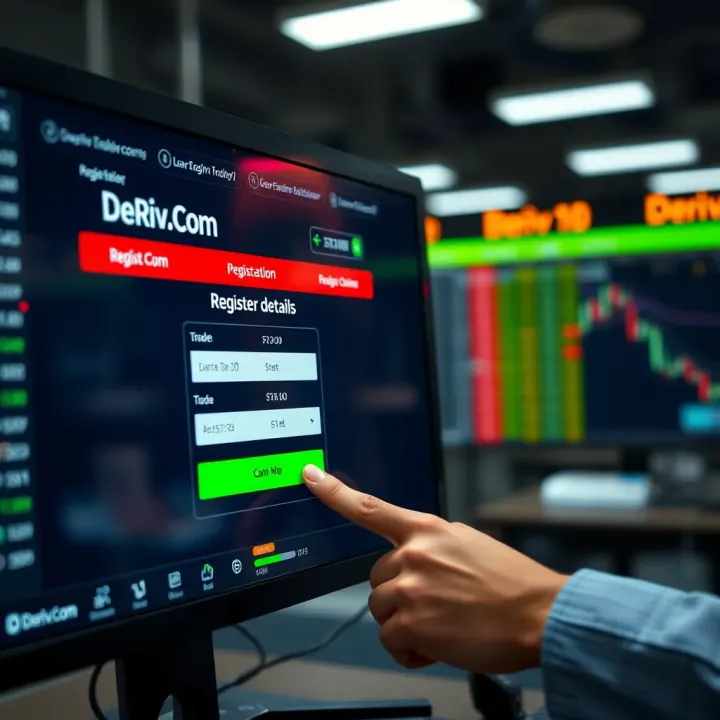
🚀 Ready to trade on Deriv.com? This guide helps South Africans register, verify accounts, fund them, and access local support for a hassle-free start. 💼
Based on 8 reviews