

Understanding the 5 ERs: Key Principles Explained
Discover the 5 ERs principles 📘, explore practical uses, benefits, & tips for effective application in everyday & professional spheres across South Africa.
Edited By
Henry Wilson
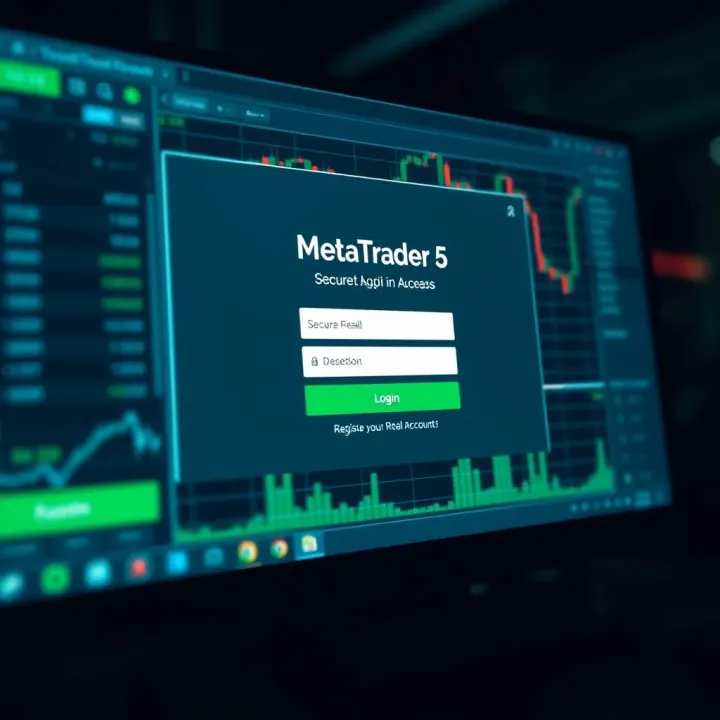
Starting out with MetaTrader 5 (MT5) for real trading can feel a bit daunting, but it doesn't have to be. Whether you're a seasoned investor or just dipping your toes into online trading, registering a real account on MT5 is a straightforward process — provided you have the right information and documents ready.
First, you need to understand that MT5 is a powerful platform used globally, and South African traders have access to various brokers authorised by the Financial Sector Conduct Authority (FSCA). Selecting a reputable FSCA-approved broker is essential to ensure your funds remain safe and you're trading within local regulatory frameworks.
Before jumping into registration, gather the necessary documentation. Typically, brokers will ask for:
A valid South African ID or passport
Proof of residential address (like a recent municipal bill or bank statement, not older than three months)
Proof of income or employment details (some brokers may request this for compliance)
Having these documents ready speeds up the verification process and gets you trading quicker.
Then, consider the type of account you want. MT5 brokers usually offer different account types, such as standard, mini, or ECN accounts, each with varying minimum deposit requirements, spreads, and leverage options. For instance, a standard account might require an initial deposit of R5,000, while a mini account could start lower. Choose what fits your risk appetite and trading plan.
Once you’ve selected your broker and prepared your documents, visit the broker’s website or dedicated trading app. The registration process typically involves:
Filling out your personal details (name, contact info, nationality)
Uploading your documents for KYC (Know Your Customer) checks
Choosing your account type and preferred base currency (usually ZAR for South African traders)
Setting a strong password and security questions
After submitting, expect the broker to verify your documents — this might take anywhere from a few hours to a couple of days depending on their process.
Remember that security starts with you. Use unique passwords and enable two-factor authentication if the broker offers it.
Registering a real account on MT5 opens the door to live trading with actual funds, so take time to select a broker that suits your trading style and offers good customer support. This basis will help you navigate the next steps with confidence and avoid common pitfalls.
Starting with a clear plan before registering your real MetaTrader 5 (MT5) account sets a solid foundation for smooth trading. Preparation helps avoid last-minute complications and ensures you understand your choices, from brokers to required documents. South African traders, in particular, benefit from knowing how local regulations, broker options, and verification rules shape the registration process.
Regulation and licensing in South Africa
When picking a broker, it’s essential to check whether they’re regulated by the Financial Sector Conduct Authority (FSCA). This licensing means the broker operates under South African financial laws and offers certain investor protections. For example, a local trader might feel more secure choosing an FSCA-regulated broker like IG or EasyEquities as opposed to an offshore one without proper safeguards.
Brokers supporting MetaTrader 5
Not all brokers in South Africa offer MetaTrader 5, so it’s good to confirm this upfront. Many brokers now provide MT5 because it supports more advanced trading features than its predecessor MT4. If your chosen broker doesn’t support MT5, you may need to consider alternatives like FXTM or HotForex that do. Using a broker that supports MT5 ensures access to up-to-date tools and better charting, vital for serious traders.
Trading conditions and fees comparison
Compare brokers on spreads, commission fees, and leverage options before committing. For instance, some brokers offer fixed spreads ideal for predictable costs, while others have variable spreads that may be tighter during active hours. Also, consider deposit and withdrawal charges relevant to South African payment methods like EFT or SnapScan. These factors can noticeably affect your profitability.
Proof of identity and address
Brokerages will ask for documentation to comply with South African regulations, including proof of identity (ID book, Smart ID card, or passport) and proof of address (recent utility bill or bank statement not older than three months). These documents confirm your identity and residence, preventing fraudulent accounts.
Understanding regulatory compliance (FICA and POPIA)
South African brokers must comply with the Financial Intelligence Centre Act (FICA), which requires proper customer verification for anti-money laundering. Compliance means you’ll likely submit your documents securely online and undergo a verification check before trading. At the same time, the Protection of Personal Information Act (POPIA) ensures your data is handled responsibly, so feel free to ask your broker how they protect your personal info.
Minimum deposit and funding options
Different brokers have varying minimum deposit requirements, often ranging from R500 to R5,000. Opt for a broker whose funding demands fit your budget. Also, look at payment methods – local EFT transfers, credit/debit card payments, and popular e-wallets like PayPal or Skrill are typical options. Convenient, reliable funding options make it easier to start and continue trading without hassle.
Getting all these factors right not only speeds up your MT5 account registration but lays the groundwork for safer, more confident trading tailored to your needs and the South African market.

Registering a real account on MetaTrader 5 (MT5) might seem straightforward, but following the proper steps carefully ensures you get set up efficiently and securely. This process is vital for South African traders who seek reliable access to local-compliant brokers and want to avoid hiccups that can delay trading.
You need to download MT5 from the broker’s official website or directly from MetaQuotes, the developer of MetaTrader. It's crucial to avoid unofficial sources to prevent malware or outdated versions. For example, if your broker is one regulated by the Financial Sector Conduct Authority (FSCA), they typically provide a direct download link. Installing from these trusted sources guarantees you get the latest security updates and features.
When installing MT5 on Windows, ensure your system meets minimum requirements—Windows 7 or later usually suffices. On mobile, the official MT5 app is available on the Google Play Store and Apple App Store. Keep an eye on permissions during installation; granting only necessary ones improves security. If you're on a mobile data connection, download over Wi-Fi to save data costs, especially with crowded caps common in many South African packages.
Filling out your personal details requires accuracy—use full names exactly as on your ID or passport to avoid future verification delays. For example, if your name includes Afrikaans double vowels or hyphenations, replicate these precisely. Mistakes here might force you to resubmit documents, slowing your start.
When choosing your account type, understand the difference between standard and ECN accounts, as some brokers offer various leverage options. Selecting your preferred leverage level impacts your risk and potential profit, so think carefully. For instance, a newbie trader might prefer lower leverage (like 1:20) to protect capital, while more experienced traders might opt for 1:100 or higher. Always check the broker’s terms to avoid surprises.
Upload verification documents via your broker’s secure client portal. Most platforms accept JPG, PNG, or PDF formats. Make sure images are clear, with all edges visible. Blurry or cropped pics can trigger rejections. To keep your documents safe, avoid sending them by email or unsecured apps—as these methods expose your personal information.
South African clients generally wait between 24 to 72 hours for verification, depending on the broker's workload and compliance checks. Some brokers operating locally speed up the process, particularly those familiar with South African FICA (Financial Intelligence Centre Act) requirements. If delays occur, it usually relates to documentation issues, so double-check submissions before pressing send.
You can fund your MT5 account using popular local payment methods like EFT (Electronic Funds Transfer), SnapScan, or even credit/debit cards, depending on the broker. EFT usually takes a day or two, though some brokers may offer instant deposits via online payment gateways. Choosing methods that suit your cashflow habits avoids unwanted delays in getting started with live trades.
Once funded, linking your funded account to MT5 is typically straightforward: use the server details and login credentials your broker provides. This connection allows you to start trading without fuss. Remember, each account has a unique login and server identifier, so keep these handy and do not share your credentials to avoid unauthorised access.
Getting these steps right the first time helps you avoid frustration and lets you focus on what really matters: your trading.
Registering a real MetaTrader 5 (MT5) account often brings hurdles that can delay or even halt your ability to start trading. Getting familiar with the common challenges upfront helps you steer clear of issues that could cost you time or frustration. This section covers typical snags around account verification and technical problems on the MT5 platform, offering you practical tips to navigate them smoothly.
Common documentation mistakes often trip up traders new to the verification process. For instance, submitting an expired ID document or a utility bill that's dated beyond the accepted timeframe will cause delays. A common example is uploading a driver’s licence photograph that is blurry or cropped badly, making it impossible for compliance officers to verify your identity. Similarly, mixed-up or inconsistent personal details—like mismatching your registered name with your submitted documents—can lead to outright rejections.
Tips for smooth verification revolve foremost around careful preparation. Always check that your identity documents are valid and fully readable. Double-check that the name and address on your proof of residence are current and exactly match your registration details. Using high-quality scans or photos rather than photocopies reduces the chance of rejection. If the broker requests multiple document types, submit all promptly to avoid your application stalling. Many South African brokers offer secure digital upload portals; using them reduces risks compared to email submissions.
Troubleshooting login problems ranks high among MT5 users who encounter initial frustration. Incorrect server selection is a common cause—MT5 requires you to choose the specific broker’s live server, which can be confusing at first. Also, simple password slip-ups or not confirming your login credentials via email can lock you out. If you face persistent login errors despite correct details, clearing the app cache or reinstalling MT5 often helps.
Ensuring stable internet and device compatibility is crucial for a trouble-free MT5 experience. MT5 needs a steady connection, so using mobile data in areas with poor reception can lead to disconnections. For desktop users, outdated operating systems may conflict with MT5 updates. A practical tip is to keep the MT5 software and your device’s OS up to date, and where possible, trade over reliable fibre or 4G/5G networks. Also, check broker-specific system requirements as some features may be limited on older devices.
Smooth registration and operation hinge on paying close attention to detail—from document readiness to proper technical setup. You can avoid headaches by preparing well, understanding the system’s demands, and acting swiftly if problems crop up.
In short, knowing these common pitfalls helps you better prepare your MetaTrader 5 real account registration and enjoy trading with fewer interruptions.
Managing and securing your MetaTrader 5 (MT5) real account goes beyond just opening it. Handling your credentials carefully and keeping a regular watch on your trading activity ensures your investments stay safe and your trading decisions remain informed. Given the South African trading environment, where cyber threats and fraud attempts are increasing, taking these precautions is not just wise — it’s necessary.
Strong passwords are your first line of defence against unauthorised access. Use a combination of upper and lowercase letters, numbers, and special characters — for example, TradingR@nd2024! is far tougher to crack than a simple word or date. Avoid common info like your birthday or name, which hackers can easily guess or find. Changing your password regularly also helps; don’t wait till there’s a breach to act.
Two-factor authentication (2FA) adds a vital extra step. Even if someone manages to steal your password, they’ll still need the second verification — often a code on your phone or email. Many brokers and MT5 support Google Authenticator or SMS-based 2FA. Activating it cuts down the chance of fraud dramatically. For instance, if you’re trading live using MT5 on your mobile, 2FA means losing your password won’t be the end of the world, as access remains locked without your phone-generated code.
MT5 regularly releases platform updates that patch security issues and add features. Checking for these updates ensures your trading environment is stable and protected from newly discovered vulnerabilities. Missing an update might mean your setup is exposed, or you could run into compatibility issues on Windows or Android devices. Setting your app to update automatically is the easiest way to keep current without hassle.
Reviewing your trade history and account statements isn’t just bookkeeping — it’s essential for spotting unusual activity or mistakes early on. If you notice trades you didn’t make or unexpected withdrawals, you can alert your broker straight away before losses mount. Plus, keeping a sharp eye on past trades helps refine your strategies, showing what worked and what didn’t. Most brokers provide easy access to downloadable statements through their client portals or MT5 itself.
Vigilance with your account security and activity checks can save you from costly headaches. Treat your MetaTrader 5 account like you would your bank account — with care, attention, and timely action.
By combining strong password habits, two-factor authentication, regular updates, and disciplined activity reviews, you set yourself up for safer and more effective trading on MetaTrader 5 in the South African market.
Leveraging the full functionality of your MetaTrader 5 (MT5) account can greatly improve your trading outcomes. Whether you’re a beginner or a seasoned trader, understanding the different account types and customising the platform to fit your style will give you more control and confidence in your trades. In South Africa, where financial markets can be volatile and market hours differ, optimising your MT5 setup helps you react faster and manage risks better.
The choice between Standard and ECN (Electronic Communication Network) accounts on MT5 shapes your trading experience. Standard accounts typically offer fixed spreads and are suitable for those who value ease of use without unexpected costs. For instance, a trader starting out with R5,000 might find the predictability of a Standard account less daunting while learning the ropes. ECN accounts, on the other hand, connect you directly to liquidity providers, offering tighter spreads especially during active market hours but usually charge a commission on trades. This suits more active or professional traders seeking lower transaction costs and faster execution, especially when trading forex pairs like USD/ZAR which tend to have variable spreads.
Remember, the leverage options linked to these accounts also play a key role. A Standard account may offer more conservative leverage, while ECN accounts often allow higher leverage but with higher risk. Choosing wisely here affects both your potential returns and exposure.
Switching gear, the contrast between demo and real accounts is vital to grasp. Demo accounts let you practise strategies in a risk-free environment using virtual money, which is invaluable for testing settings or familiarising yourself with new indicators or Expert Advisors (EAs) without pressure. Yet, trading on a real account brings psychological factors into play — real money triggers emotions and discipline differently. Real accounts are where your preparation pays off, but it’s crucial to start small, especially in South Africa’s ever-changing market environment, to build experience without risking too much capital.
One of MT5’s strengths lies in its flexible charting features. Setting up charts and indicators to fit your preferred analysis style helps spot trends and entry points faster. For example, a trader focusing on the JSE Top 40 stocks might customise daily charts with moving averages and RSI indicators to identify momentum shifts. Adjusting timeframes and colour schemes to something you find easy on the eyes can reduce fatigue during long trading sessions.
Meanwhile, MetaTrader 5 supports Expert Advisors and plugins that automate parts of your trading or expand its capabilities. Installing an EA to execute a simple moving average crossover strategy can save time and remove emotion in trades. Furthermore, plugins like economic calendar tools or signal services provide timely market information directly within MT5. South African traders often use these to monitor events like SARB interest rate announcements, affecting currency volatility.
Tip: Always test new EAs and plugins on a demo account before using them on your real MT5 account to avoid unexpected losses or technical glitches.
By understanding account features and customising your MT5 platform effectively, you’re set for a more controlled and tailored trading experience that fits the local market realities.
Discover the 5 ERs principles 📘, explore practical uses, benefits, & tips for effective application in everyday & professional spheres across South Africa.

Explore the Quotex demo account 🚀, learn setup tips, features, and how South African traders can sharpen skills risk-free. Trade smarter today!

📈 Learn the 5 ERS trading strategy in forex to spot reliable setups, manage risk, and enhance your trading with clear examples and smart tips.
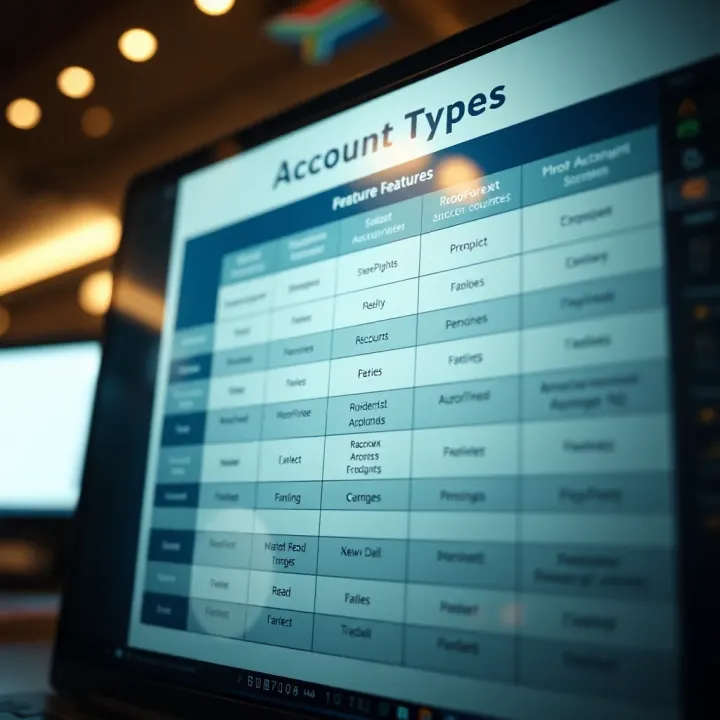
Explore RoboForex account types in detail 📊. Find the best one for your trading style in South Africa 🇿🇦 and boost your trading experience today!
Based on 6 reviews