

Best Synthetic Indices Brokers for MT5 in South Africa
Find the best South African brokers for trading synthetic indices on MT5 📊. Learn key features, benefits, and tips for successful trading today!
Edited By
Liam Cartwright
The FNB eWallet service offers a flexible way to send and receive money without needing a bank account. But what if you want to withdraw cash from your eWallet? Understanding exactly how to do this, the associated costs, withdrawal limits, and options can save time and avoid frustration.
South Africans use this service widely, especially in areas where banking access might be limited. For traders and financiers managing cash flow or remittances, knowing how to withdraw from the FNB eWallet is a practical skill.
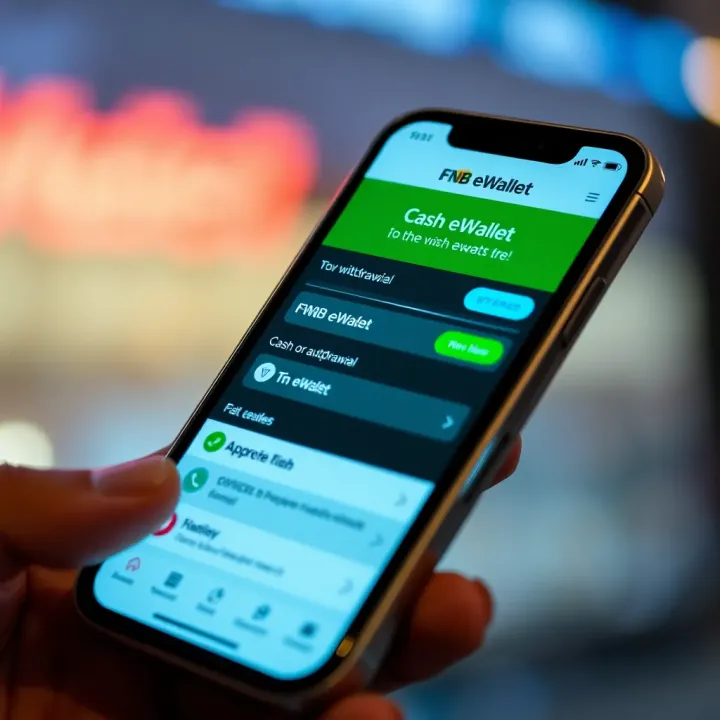
This section provides clear insight into the withdrawal process, covering where you can withdraw, step-by-step instructions, fees, and common restrictions. Whether you’re an investor needing quick access to liquidity or an analyst advising clients, this guide helps you get straight to the point.
With FNB eWallet, cash can be withdrawn at thousands of participating retailers, making it convenient even without a physical bank card or account.
Retail Withdrawals: The most common method. Funds can be taken out at FNB branches, selected retailers like Spar or Pick n Pay, and participating outlets nationwide.
ATM Withdrawals: You don't need your card; use your cellphone number linked to the eWallet and follow prompts at FNB ATMs.
Agent Withdrawals: Some smaller outlets act as eWallet agents, ideal in remote locations.
Each option involves a slightly different procedure, but all require certain security steps to ensure safe handling.
Withdrawal fees typically range between R5 and R10 per transaction, depending on the outlet. There's usually a daily limit — often around R2,500 to R5,000 — but this can vary based on your profile and recent activity.
Infrequent users might face lower limits as a precautionary step. Understanding these boundaries helps plan your withdrawals without surprises.
Knowing where, how much, and at what cost you can withdraw from your FNB eWallet turns a handy feature into an effective financial tool. The following sections will break down the steps in more detail, plus common questions and troubleshooting tips.
To really make use of FNB eWallet, you need a solid grasp of what it entails and how it fits into your financial toolkit. The service offers a straightforward, cashless way to send and receive money without a traditional bank account, making it especially handy for traders and investors who deal with a variety of counterparties or want flexible access to funds. For example, a broker could pay a client via eWallet without the delays that sometimes occur with EFTs (electronic funds transfers).
At its core, FNB eWallet lets users create a wallet linked to their cellphone number. The beauty lies in the convenience: you don’t need a bank card or even an FNB account to receive money. Withdrawals can then happen at ATMs, branches, or using partner retailers. This flexibility is key for anyone operating in South Africa’s diverse financial landscape, ensuring access to cash where traditional channels might lag.
Understanding the service also means knowing its limits and rules—who qualifies to use it, the withdrawal thresholds, and costs involved. Grasping these elements upfront lets you avoid surprises during transactions and improves how efficiently you manage your finances.
FNB eWallet is a digital service designed to simplify how you send and access cash. Instead of relying on physical bank cards, it uses a cellphone number as the ID for transfers and withdrawals. Think of it as a virtual wallet you carry on your phone.
Here’s how it actually works: a sender can transfer money directly to your eWallet with just your cellphone number. You then receive an SMS with a code allowing you to withdraw cash at any FNB ATM—without needing a card. You can also get funds at FNB branches or select retail partners like Pick n Pay or Boxer. This setup supports those who might not have a formal bank account but have limited or no internet connectivity.
This service is not just about convenience but also about financial inclusion. It is particularly useful in areas with limited banking infrastructure or during times when access to physical branches becomes a hassle.
The service is open to all South African residents who have a valid cellphone number. You don’t have to be an FNB account holder to receive and withdraw money through eWallet. That’s a big plus for informal traders, freelancers, and even investors who occasionally deal with cash and need a simple way to access funds.
However, the sender must have an FNB banking account to fund the eWallet transfer. This means if you’re an investor transferring a deposit back to a client’s eWallet, you need to operate through an FNB account.
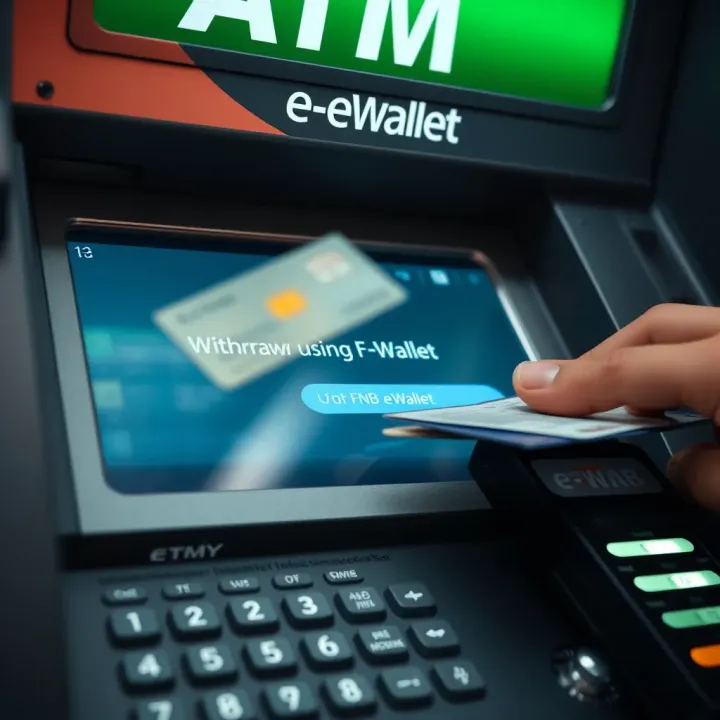
FNB also puts safeguards in place for security and compliance with South Africa’s Financial Intelligence Centre Act (FICA). Users might be required to provide identification details or verify their cellphone number when sending or withdrawing larger amounts, which helps keep fraud at bay.
Understanding exactly who can use the service and under what conditions is vital to effectively managing your money flow and avoiding hassles at withdrawal points.
Through clear knowledge of FNB eWallet’s functions and user eligibility, you position yourself to use the service efficiently and confidently, making sure your cashouts and payments go off without a hitch.
Knowing how to withdraw money from your FNB eWallet is essential for accessing funds when you don’t have a physical card or prefer digital options. The eWallet service offers multiple withdrawal methods that suit different needs—from cash pickups to app-based management. Having flexibility means you can handle transactions conveniently while maintaining control over your finances.
One standout feature of FNB eWallet is the ability to withdraw cash at an FNB ATM without needing a physical card. This is particularly handy if you have forgotten your card or want quick access to cash without visiting a branch. To do this, you use the eWallet option on the ATM screen, enter your mobile number and the one-time PIN (OTP) that FNB sends to your phone. Once confirmed, you can enter the amount to withdraw. For example, if you’re in a rush to get R500 for taxi fare but left your card at home, this method saves you time and hassle.
If an ATM isn’t convenient, you can still withdraw cash directly at an FNB branch or authorised partner retailers like certain Pick n Pay or Boxer stores. Simply provide your mobile number linked to your eWallet and the OTP sent to you. The teller or cashier will then hand over the cash amount you specify. This option is particularly useful if you’re already out shopping or prefer face-to-face interaction, especially in more rural areas where ATM access can be limited. Keep in mind that not all partner retailers may support eWallet withdrawals, so it’s wise to check beforehand.
Managing your eWallet withdrawals through the FNB mobile app lets you keep track without stepping out. Although the app itself does not dispense cash, it allows you to generate withdrawal codes, check balances, and send money to other users to withdraw from their eWallets. For example, you might transfer funds to a family member who can then withdraw on your behalf from their nearest FNB ATM or branch. The app also provides alerts and control options, helping you avoid overspending or fraud.
Withdrawing money from your FNB eWallet has become quicker and more versatile — whether you need instant cash from an ATM without a card or prefer transacting through partner stores or the mobile app. Knowing these options helps you pick the best withdrawal method for your situation.
By understanding these withdrawal options, traders, analysts, and financiers can better manage cash flow without delays or unnecessary trips to the bank. Whether you’re on the go or prefer an in-person transaction, the FNB eWallet supports smooth, hassle-free withdrawals.
Knowing the costs and withdrawal limits connected to your FNB eWallet is essential for planning your transactions efficiently. Being clear about fees helps you avoid surprises, while understanding limits ensures you manage your funds within permitted boundaries. This section breaks down these key factors, giving traders, investors, and financers a straightforward overview tailored to practical use.
FNB charges a small fee whenever you withdraw money using eWallet, which can vary depending on the method you choose. For example, withdrawing cash at an FNB ATM without a card typically costs around R7–R10 per transaction. This compares favourably to some other banks, where similar fees can be higher. If you choose to collect cash at an FNB branch or a partner retailer, fees might be slightly more, reflecting the additional service provided.
These withdrawal fees apply per transaction, so if you plan to withdraw R1,000 in two chunks rather than once, you’ll pay fees twice. For bulk transactions, it’s more cost-effective to withdraw larger amounts less often. Also, keep in mind that while the fees seem small, they add up over time—especially for frequent traders or those managing multiple accounts.
FNB enforces daily and per-transaction limits to protect customers and reduce the risk of fraud. Typically, you can withdraw up to R5,000 per transaction and a maximum of R10,000 per day via eWallet. These limits keep your cash flow manageable while offering flexibility for standard needs.
For instance, if you’re a broker needing quick access to funds, withdrawing R5,000 twice a day fits within these rules. However, for those requiring larger sums, such as paying suppliers or making investments, you might need to consider alternative transfer methods or request temporary limit increases through FNB’s customer support.
Understanding your withdrawal limits also aids in budgeting and cash-flow planning. It prevents unnecessary trips to the ATM or branch, saving you time and effort.
To sum up, the fees and limits attached to FNB eWallet withdrawals strike a balance between accessibility and security. Being mindful of these helps users optimise costs and use the service effectively in their daily financial activities.
Getting your FNB eWallet set up and secure is a key step before you can confidently start withdrawing money. It ensures your funds stay safe and accessible when you need them. Without proper registration and security measures, you risk unauthorised access or transaction errors that could cost you time and money. In South Africa's digital banking landscape, where scams and identity theft are common, locking down your eWallet from the outset is just smart practice.
To begin using FNB eWallet, you first need to register the wallet, which links your cellphone number to the service. You can do this via the FNB app, USSD code, or by visiting your nearest branch. For example, on your mobile, dial 120321# and follow the prompts to provide your ID number and cellphone details. This process confirms your identity and creates a virtual wallet tied to your phone.
Once registered, activation usually involves confirming the registration through a one-time PIN (OTP) sent via SMS. This step verifies that you're the rightful owner of the number and validly authorises your wallet. Once active, the eWallet can be funded directly from another FNB account or through deposits at participating retailers.
Remember, your activation PIN and wallet details should never be shared. FNB will not ask for your PIN or ATM card details via phone or SMS.
Keeping your eWallet secure goes beyond just registration. Here are practical steps to safeguard your money:
Use strong, unique PINs: Avoid obvious codes like 1234 or your birth year. Change your PIN regularly.
Enable two-factor authentication (2FA): If available, 2FA adds an extra layer by requiring a second form of verification.
Beware of phishing attempts: Never click on suspicious links or share your eWallet details with anyone claiming to be from the bank.
Monitor account activity: Regularly check your transactions via the FNB app or online banking to spot any unauthorized withdrawals.
Update your device's software: Security patches protect your mobile from vulnerabilities that scammers exploit.
For instance, a trader in Johannesburg avoided losing R10,000 after noticing an unfamiliar withdrawal alert on his eWallet through the app. Thanks to timely reporting and blocking access, his savings stayed intact.
Setting up your FNB eWallet properly and following these security tips makes withdrawing cash safe and hassle-free, giving you peace of mind when managing your money on the move.
When using the FNB eWallet service for withdrawals, understanding common issues and queries can save you time and frustration. Traders, investors, and other professionals relying on swift access to funds often encounter occasional glitches or uncertainties. This section addresses practical problems users face and provides clear answers to frequent questions, helping you manage your withdrawals smoothly.
One typical issue is failed withdrawal attempts at ATMs or partner retailers. This often happens if the eWallet hasn't been funded properly or the transaction exceeds daily limits. For instance, if you're a broker trying to withdraw R15,000 in one go but the limit is R7,000 per day, the transaction will be declined. Always check your current withdrawal limits via the FNB app.
Another common snag involves incorrect mobile numbers or IDs during withdrawal. The eWallet system matches withdrawals with registered phone numbers, so if you attempt a withdrawal using a different number, the transaction won't succeed. If that happens, verify the mobile number linked to your eWallet before initiating a withdrawal.
Sometimes, delays occur due to network issues or temporary outages in FNB’s systems. In such cases, simply retry the withdrawal after a short interval or contact FNB support. Remember, repeated failed attempts might temporarily lock your eWallet as a security measure.
Can anyone withdraw from my eWallet? No. Withdrawals must be made by the registered recipient using the mobile number linked to the eWallet. This prevents unauthorised access and fraud.
Are there costs involved in withdrawing money? Yes. Withdrawal fees vary depending on the channel (ATM, branch, partner retailer) and amount. It's best to check the latest fees on the FNB website or app, as these can change.
What happens if I exceed my daily withdrawal limit? Transactions exceeding limits will be declined. You can't combine multiple withdrawals instantly to bypass this; limits reset the following day.
Can I use my eWallet to pay bills or transfer money? The eWallet is primarily designed to send and withdraw cash without a bank account. For bill payments or transfers, it's better to use traditional banking channels or the FNB app’s payment services.
Paying attention to these points can help you avoid common pitfalls and make the most of your FNB eWallet withdrawals.
Dealing with queries and issues proactively ensures your access to funds remains uninterrupted. For traders or investors needing reliable cash access, understanding these elements is key to staying ahead in managing day-to-day finances.
Find the best South African brokers for trading synthetic indices on MT5 📊. Learn key features, benefits, and tips for successful trading today!

📈 Learn the 5 ERS trading strategy in forex to spot reliable setups, manage risk, and enhance your trading with clear examples and smart tips.

🚀 Explore how SpaceX is reshaping space travel with cutting-edge rockets, bold missions, key partnerships, and its influence on global space industry.

📈 Master surge trading with practical strategies and tools tailored for active traders in South Africa. Learn to spot sharp price moves and manage risks smartly.
Based on 12 reviews