
ThinkMarkets Review for South African Traders
Explore ThinkMarkets for South African traders 🇿🇦: detailed review covering platform features, fees, support & education to guide your trading decisions.
Edited By
Liam Robinson
Logging into MetaTrader can feel confusing if you’re new to the platform or trading in South Africa. But the process is pretty straightforward once you know where to look and what to prepare.
MetaTrader, popular among traders for forex and CFDs, is accessible on desktop, mobile, and web versions. Whether you use MetaTrader 4 or MetaTrader 5, the login steps are similar. First, you’ll need your account credentials — usually supplied by your broker after opening a trading account. This includes your login ID, password, and the server address.
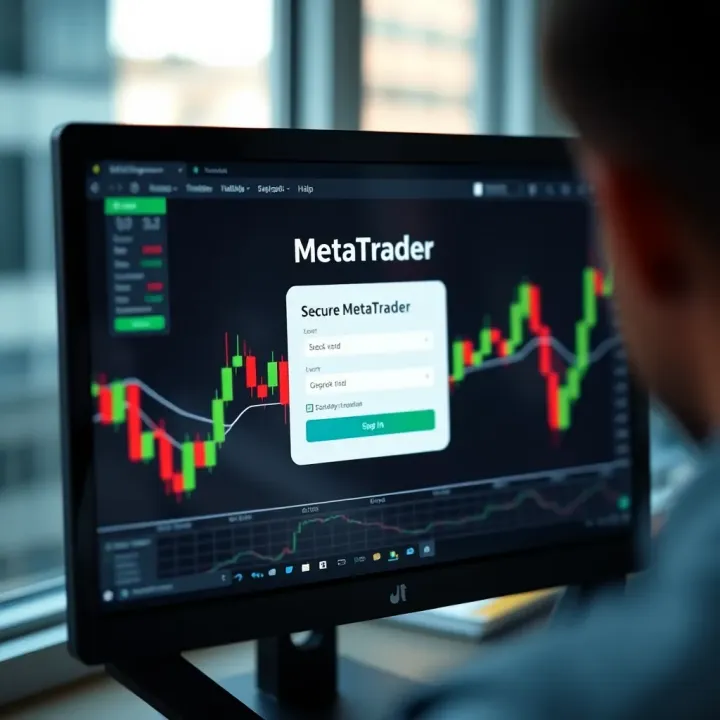
South African traders should ensure a stable internet connection to avoid interruptions, especially during trades or when checking real-time price quotes. Loadshedding or unstable data can cause connection drops, making login frustrating.
Keep your login details safe and don’t share them with anyone to prevent unauthorised access. Many brokers offer two-factor authentication for extra security, which you should activate if available.
Your MetaTrader account number or login ID
Password
Server name/address (provided by your broker)
Internet connection (preferably stable WiFi or broadband)
Open your MetaTrader app or web platform.
Select File > Login to Trade Account on desktop or the equivalent on mobile.
Enter your account number and password.
Choose the correct server from the list.
Click Login.
If your credentials are correct and the server responds, you’ll be connected within seconds.
Sometimes, brokers have separate demo and live servers—make sure you pick the right one depending on your goal.
Wrong server selected: Check the exact server provided by your broker.
Incorrect password: Reset it via your broker’s portal if needed.
Connection timeout: Try switching networks or check for loadshedding schedules.
Account not activated: Confirm with your broker if your account is fully set up.
Being prepared with correct login info and checking your connection usually smooths the way. In the following sections, we’ll cover handling multiple accounts, security tips, and troubleshooting to help you master MetaTrader logins in South Africa.
Grasping how MetaTrader operates and the login process involved is vital for any South African trader aiming to use this platform smoothly. Knowing the basics saves time and reduces headaches, especially when market opportunities appear suddenly. For example, if you're looking to trade forex or commodities, being comfortable with logging in quickly lets you act decisively — avoiding missed chances due to login delays or confusion.
MetaTrader is widely popular in Mzansi and globally because it offers comprehensive charting tools and automated trading options. South African traders who understand its login system can effortlessly switch between demo accounts for practice and live accounts managing real funds. This flexibility is particularly practical for newcomers balancing learning with real trading risks.
MetaTrader is a software programme developed primarily for online trading across forex, equities, futures, and CFDs (contracts for difference). It provides an interface where you can analyse price movements, execute trades, and use expert advisors (EAs) to automate your strategies. In South Africa, brokers like IG, HotForex, and XM support MetaTrader platforms, giving traders access to international and local markets.
The software comes with charting packages, real-time quotes, and risk management tools — all essential for informed decision-making. Traders appreciate it for its adaptability and robust support, especially under local conditions influenced by factors like Eskom loadshedding or internet connectivity variations.
Logging in requires specific details: your username (often an account number), a password, and the broker’s server address. These are usually provided when you open a trading account with a broker. For instance, after registration at a South African licensed broker, you'll receive these credentials via email or through their client portal.
You must keep this information secure to avoid unauthorised access. Think of it like your online banking details — share with caution. Without them, you cannot access your trading account to place or adjust trades.
South African traders commonly encounter two versions: MetaTrader 4 (MT4) and MetaTrader 5 (MT5). While MT4 is older and primarily focused on forex trading, MT5 supports a broader range of markets, including stocks and futures. MT5 also offers more advanced tools such as additional timeframes and improved charting options.
Choosing between MT4 and MT5 depends on your trading needs and your broker’s offerings. Many brokers in South Africa support both, letting you select the platform that suits your style. For example, a trader focusing on forex pairs may prefer MT4 for its simplicity, while someone dealing with indices or commodities might lean towards MT5.
Remember, matching your login credentials to the correct platform and server version directly impacts your ability to access your accounts without issues.
Having a clear understanding of these elements ensures South African traders can approach MetaTrader confidently, making login hurdles less of a hassle and focusing instead on trading decisions.
Knowing the exact steps to log into MetaTrader makes life far easier for South African traders, especially given the platform’s widespread use for forex and CFD trading. This guide walks you through each phase, ensuring you’re ready to get started without hassle. By following these steps, you avoid common pitfalls like entering wrong details or connecting to the incorrect broker server.
Before anything else, gather your login details carefully. You’ll need your account number, password, and the server name provided by your broker. Often, South African brokers email this information right after you set up your trading account. Keep these details handy — trying to log in without the correct server name, for example, is like dialing the wrong number and expecting to get through.
Maintain a secure record of your password and account number. Consider using a password manager or a secure offline note to avoid fumbling when the market moves fast. Traders must double-check these details before opening MetaTrader to smooth the login experience.
On your desktop, start by launching the MetaTrader app — whether it’s MetaTrader 4 or 5, depending on your broker’s offering. When the platform opens, select 'File' then 'Login to Trade Account'. Enter your account number, password, and most importantly, select the appropriate broker server from the dropdown. Double-check these inputs to sidestep errors. Clicking 'Login' should connect you; if not, verify your internet connectivity and details.
Desktop login provides a more stable and robust environment compared to mobile, ideal for full-scale analysis and placing complex orders. Many traders in Gauteng and Cape Town prefer this for serious trading sessions.
MetaTrader mobile apps are a lifeline for traders on the go, especially those dealing with the erratic South African data costs and frequent loadshedding interruptions. Download the MT4 or MT5 app directly from the Google Play Store or Apple App Store. After opening the app, tap 'Login to an Existing Account', input your account info, and select the right server.
Mobile offers the convenience to check markets anytime, like during a taxi ride or while queuing for coffee. It’s not as feature-rich as the desktop version but serves well for quick trades and portfolio monitoring.
One overlooked stumbling block is choosing the wrong broker server. Brokers often list several servers—live, demo, or regional branches. Logging into the right one is key because even with correct credentials, connecting to a demo server won’t show your live trades.
For instance, a trader signed up with a South African broker based in Johannesburg might see ‘BrokerName-Live01’ and ‘BrokerName-Demo’. Selecting the live server ensures your trades impact your real account balance and that you’re receiving accurate price feeds. When in doubt, contact your broker’s support or check your registration emails for the exact server name.
Happy trading starts with smooth access. Taking the time to prepare login details properly, selecting the right platform version, and connecting to the correct server saves traders many headaches later on.
Logging into MetaTrader should be a straightforward task, but traders sometimes hit snags that stop them from getting started. It’s worth sorting out these kinks quickly, as any delay means potential missed trading opportunities and frustration. Understanding common login problems helps you fix issues fast and keep your trades on track.
Using the wrong username, password, or server name is the most frequent reason for login failures. For example, some brokers issue separate credentials for live and demo accounts, so mixing these up is an easy mistake. Double-check your details saved during registration or in emails sent by the broker.
A small typo can make all the difference — like typing a zero instead of the letter O or missing a character. Passwords are case-sensitive, so ensure Caps Lock is off. If you forgot your password, most brokers offer a reset option via their website or client portal. Always keep your login details secure yet accessible.
MetaTrader requires a stable connection to your broker’s server. If you see errors like "No connection" or "Trade server unavailable," consider these points:
Confirm your internet is active and reliable; South Africa’s data networks vary between provinces and providers.
Check if your broker changed their server address recently and update the settings accordingly.
Firewalls or antivirus software might block MetaTrader’s access. Temporarily disabling these or adding exceptions for MetaTrader can help.
At times, brokers perform server maintenance or updates, which could cause temporary outages. When this happens, keep an eye on broker notices or support channels for updates.
Repeated failed login attempts can trigger an automatic lock for security. This lock often lasts for a limited period, but it’s best to contact your broker directly if you’re unsure. Also, account suspension might occur if there are compliance issues or suspicious trading activity.
For instance, a South African trader using MetaTrader on a public network might trigger multiple login attempts due to spotty mobile data, causing the account to lock. Brokers require adherence to Know Your Client (KYC) and Financial Intelligence Centre Act (FICA) rules, so ensure your documentation is up to date to avoid unnecessary holds.
Remember: Quick communication with your broker’s support team can resolve most login troubles without lengthy delays.
By recognising these common issues and their practical fixes, you can navigate MetaTrader login problems with more confidence and less downtime. That way, your focus stays on smart trading rather than technical headaches.
Keeping your MetaTrader login secure is vital, especially here in South Africa where cyber threats are on the rise. Traders often handle significant sums on these platforms, meaning a lapse in security could cost a fair bit. By following straightforward but effective security measures, you can protect your investments and personal information from unauthorised access.
A strong password acts like a solid lock on your MetaTrader account. Avoid simple combinations like "123456" or your birth year—these are the first guesses for hackers. Instead, combine upper and lower case letters, numbers, and symbols. For instance, a password like Rade!g4Tr@de2024 mixes different character types and is much harder to crack.
Consider using a South African phrase or word you know and tweak it by replacing vowels with numbers or symbols, which makes it easier to remember but still strong. Always avoid using the same password across your trading accounts, email, and other online services to limit exposure.
Adding two-factor authentication (2FA) is a powerful extra step beyond just passwords. It requires a second piece of information, usually a code sent to your mobile or generated by an app like Google Authenticator or Microsoft Authenticator. This means even if someone steals your password, they still need your cellphone or device to log in.
MetaTrader brokers increasingly offer 2FA options – enabling this helps reduce risks associated with phishing attacks or password leaks. If your broker supports it, switch it on right away for both demo and live accounts.
Your MetaTrader login security doesn't end with passwords – the device you use matters greatly. Keep your desktop, laptop, or mobile up to date with the latest patches or updates to prevent vulnerabilities hackers might exploit.
Avoid logging into your trading platform on public Wi-Fi networks without a Virtual Private Network (VPN), as these are easier targets for data interception. Also, maintain reliable antivirus software to scan for malware or keyloggers that could capture your credentials.
Backing up your important data, including your login details stored securely (preferably in a password manager), ensures you don't lose access in case of a device failure or theft.
Remember, your MetaTrader account is the gateway to your trading capital. Treat its security with the care it deserves – a few simple steps can save you from headaches and financial loss down the line.
By regularly updating your passwords, enabling two-factor authentication, and protecting your devices, you reinforce your MetaTrader login’s defences against common threats faced by South African traders today.
For traders in South Africa, handling multiple MetaTrader accounts isn't just a convenience—it's often a necessity. Many traders keep separate accounts for different strategies, brokers, or asset classes. Being able to manage these accounts efficiently saves time and reduces the risk of errors, especially when real money is involved.
MetaTrader allows users to operate both live and demo accounts simultaneously. Switching between these types of accounts is straightforward but essential for testing new strategies without risking capital. For example, a trader might use a live account to trade forex with a local broker like HotForex, while simultaneously running demo accounts to test strategies on global markets.
Within the MetaTrader interface, you can simply choose the desired account from the ‘Navigator’ panel. Keeping this process smooth helps traders avoid accidental trades on live accounts when they intended to test on a demo.
Most active South African traders don’t limit themselves to one broker. You might have an account with a Forex broker such as IG Markets and another with a CFD broker like Plus500. Each account has unique login credentials and server details, so organising this information clearly is key.
Consider maintaining a secure digital note or password manager to store your account IDs, passwords, and associated server names. This keeps everything at your fingertips and minimizes the chance of getting locked out or mixing up accounts. Also, note that some brokers require additional verification steps when logging in from new devices, so having quick access to all relevant details helps.
Managing multiple accounts well ensures you can seize opportunities without confusion or delay, especially during volatile market hours common in forex or commodities trading.
In short, mastering the use of multiple MetaTrader accounts equips South African traders with the flexibility to diversify risk, trial new approaches safely, and adapt swiftly in response to market changes. This practical approach benefits everyone from day traders to fund managers, providing clear advantages in both efficiency and control.
Explore ThinkMarkets for South African traders 🇿🇦: detailed review covering platform features, fees, support & education to guide your trading decisions.
Discover the stories of South Africa’s richest traders 🤑, their unique strategies 📈, and how they've shaped both local and global markets 🌍.
🔍 Explore QuickTrade with our in-depth review tailored for South African traders. Understand fees, security, usability, support & more before you trade!
Explore Templer FX's services, platforms & fees for South African traders 🇿🇦. Get insights on security, support & how it stacks up against other brokers 📊.
Based on 10 reviews