
Using Binary.com with TradingView for Smarter Trading
Boost your trading skills by linking Binary.com with TradingView 📊. Get step-by-step tips, spot challenges, and enhance strategies for South African traders 🇿🇦.
Edited By
Charlotte Davies
Creating an account on Binary.com is your first step towards engaging with one of the more accessible trading platforms out there. Whether you're interested in Forex, commodities, stocks, or indices, setting up an account correctly is key to trading with confidence and security.
This guide walks you through that first stage, focusing on what South African users should know. From the initial sign-up to picking the right account type and funding your profile, every detail matters.
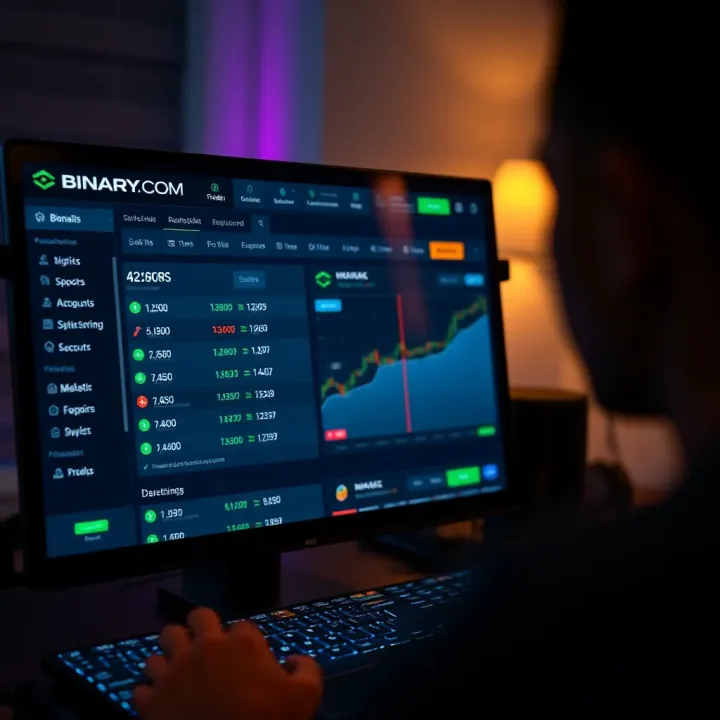
Starting your Binary.com account is fairly straightforward. You’ll need:
A valid email address
Your full name as per your official ID
South African mobile number for verification
Simulation of accuracy in these details helps avoid hiccups later, especially during the verification phase.
Binary.com requires identity proof to comply with international and South African Financial Intelligence Centre Act (FICA) regulations. You’ll be asked to upload:
A copy of your South African ID or passport
A recent utility bill or bank statement (no older than 3 months) to confirm your address
This process isn’t just bureaucracy; it protects you and the platform from fraud and money laundering.
Keep your documents ready before you start to make verification smooth and quick.
Binary.com offers several account options — from demo accounts perfect for beginners wanting to test strategies, to real accounts with variable minimum deposit thresholds. Consider your trading experience and budget:
Demo account: Risk-free, practise with virtual funds
Standard account: Access to real market conditions, minimum deposit usually starts around R100
Advanced accounts: More features and often suited to experienced traders with larger capital
Once verified, you can fund your profile using popular methods suitable for South Africans:
Local EFT (Electronic Fund Transfer) for seamless bank-to-bank deposit
Credit or debit cards like Visa and MasterCard
E-wallets such as Skrill or Neteller
Make sure your deposit method complies with South African currency regulations, and check any fees involved to avoid surprises.
Setting up your Binary.com account right means you can focus on trading without unnecessary delays or complications. Next, we’ll cover some practical tips on navigating the platform and managing your trading profile effectively in South Africa.
Getting started with Binary.com sets the foundation for successful trading, especially for South African users looking for a reliable and accessible platform. Knowing what Binary.com offers and what’s required to open an account helps traders avoid surprises and prepare necessary documents beforehand. This section introduces the key features and local legal considerations that matter before you even click on the registration page.
Binary.com specialises in online trading across various financial instruments such as forex, indices, commodities, and cryptocurrencies. For example, South African traders can invest in gold or the JSE Top 40 index, leveraging the platform’s contracts for difference (CFDs) and binary options. These products cater to different risk appetites — whether you want to predict price movements for quick gains or hold positions longer.
The platform also provides an intuitive interface suitable for both beginners and experienced traders. Besides standard trade types, Binary.com offers advanced tools like algorithmic trading options and customisable charts, which are particularly useful for analysts looking to backtest strategies.
Binary.com is easily accessible via desktop and mobile devices, making it practical for busy South Africans juggling work and trading. The mobile app supports full functionality, so you’re not forced to be at your desk. This flexibility is vital given disruptions like loadshedding, which may shift your trading hours.
Security is another key feature. Two-factor authentication and encrypted sessions ensure your account is safe from unauthorised access. Additionally, the platform supports multiple languages and local payment methods, streamlining deposits and withdrawals.
To open an account, you must be at least 18 years old, in line with South African legal age restrictions for financial contracts. Binary.com also complies with South African financial laws — including the Financial Sector Conduct Authority’s (FSCA) guidelines — to ensure fair trading practices. This protects you from fraudulent schemes and ensures your funds are handled correctly.
Verification is a straightforward but essential step. You’ll need a valid South African ID or passport to confirm your identity. Additionally, proof of address documents like a recent municipal bill or bank statement are required. These help Binary.com comply with South Africa’s Financial Intelligence Centre Act (FICA) regulations, aimed at preventing money laundering.
Tip: Keep scanned copies of these documents ready to speed up the registration. Uploads are done securely through Binary.com’s encrypted portal, giving peace of mind that your data stays protected.

Understanding these essentials ensures a smooth start to your trading journey on Binary.com, allowing you to focus on what matters — making smart trades.
Understanding the registration process is fundamental for anyone keen to start trading on Binary.com. This step-by-step walkthrough highlights practical actions and key details every South African trader should know to avoid common pitfalls and make the sign-up swift and trouble-free.
Start by heading straight to the official Binary.com website. It’s crucial to avoid third-party sites or ads promising quick registration; these often lead to scams or phishing attempts. A quick check of the URL and security certificate in your browser can save you from headaches later. Think of it like making sure you’re at the right café for your favourite brew – the real deal matters.
Binary.com is designed to be fully accessible whether you sign up on a desktop or through a mobile device. If you’re on the move, the mobile site or app will offer a streamlined process with larger buttons and touch-friendly menus. On the other hand, a desktop setup might make filling detailed forms easier, especially if you want to keep multiple tabs open for verification tips or support chats. Either way, the platform adapts well, meaning you can register when it suits you best.
When entering your personal information, accuracy isn’t just bureaucratic — it’s essential for swift account verification and smooth transactions. For example, using your official South African ID number and full name exactly as on your ID document avoids delays. Mistakes here can cause the platform to flag your account or block withdrawals, which definitely wouldn’t be convenient when you want to access your funds quickly.
Your username should reflect your trading identity but steer clear of personal details like your full name or date of birth; this helps guard your privacy. Passwords must be strong—mix upper and lowercase letters, numbers, and symbols. For example, instead of "password123", create something like "Braai2024!" which includes a local flavour but remains hardened against hackers. Avoid reusing passwords from other sites to reduce risk.
Before ticking the box, take a moment to skim through Binary.com’s user agreements to grasp your rights and responsibilities. Key points usually cover trading risks, withdrawal limits, and dispute resolution methods. This is your contract with the platform – being clued up prevents unpleasant surprises later. For instance, understanding how margin calls work could be the difference between a small loss and a big one.
South African users should pay attention to how Binary.com handles your personal data, especially under laws like the Protection of Personal Information Act (POPIA). The platform should clearly state how they secure your data, what they share with third parties, and your options for controlling your information. If you’re uncomfortable with any terms, it’s best to seek clarification or reconsider before proceeding.
Careful attention to the registration steps ensures you’re set up correctly and safely, allowing you to focus on what counts: trading and investing wisely.
Verifying your account and securing it properly are vital steps when using Binary.com, especially for traders in South Africa who must comply with local regulations such as the Financial Intelligence Centre Act (FICA). These measures protect your identity, prevent fraud, and keep your funds safe. Without verification, you will not be able to deposit or withdraw funds, making this step non-negotiable.
Binary.com typically requires a government-issued ID such as a South African smart ID card or passport, plus proof of address like a recent utility bill or bank statement not older than three months. This confirms your identity and residential address, helping the platform meet South Africa's legal rules on anti-money laundering and counter-terrorism finance.
Traders should ensure their documents are clear and valid to avoid delays. For example, a faded copy of a passport might be rejected, setting back your trading plans. For business accounts, additional paperwork like company registration might be needed.
Documents need to be uploaded through Binary.com’s secure portal, which uses encryption to guard your personal details during transmission. Avoid emailing sensitive papers or uploading them through untrusted networks, especially public Wi-Fi, as these pose risks. Instead, choose private internet connections and verify that the upload page URL begins with "https" to confirm the connection is secure.
Keep a copy of the submitted documents for your records. If any query arises during verification, having clear copies ready can speed up responses from the support team.
Two-factor authentication (2FA) adds a second checkpoint beyond just your password, usually involving a one-time code sent to your mobile or generated by an app like Google Authenticator. Activating 2FA on your Binary.com account thwarts unauthorised access even if your password leaks. Many South African traders overlook this, but given the rise in online scams, it’s a small step that brings big peace of mind.
Binary.com guides users clearly on enabling 2FA – usually under account settings. Once set, your login process includes entering the code that changes every 30 seconds, making hacking attempts far harder.
Choosing a strong password is the first line of defence. Use at least 12 characters with a mix of upper and lowercase letters, numbers, and symbols. Avoid using obvious elements like your birth year, "password123", or common words.
It’s also wise not to recycle passwords across multiple sites. Consider using password managers such as LastPass or Bitwarden, which safely store complex passwords and auto-fill them, reducing the risk of keyloggers capturing keystrokes. Changing your Binary.com password regularly, say every three months, and monitoring account activity help spot any suspicious behaviour early.
Treat your trading account like a bank account: strong security keeps your money safe and your mind at ease. Verification and layered security might feel like a hassle, but they’re necessary shields in online trading.
Taking these account verification and security measures seriously will set you up for safer, smoother trading on Binary.com from South Africa’s unique market position.
Funding your Binary.com account is a critical step that lets you move from registration to actual trading. Without a properly funded account, you cannot place trades or access most of the platform’s tools. For South African users, knowing which deposit methods are available, their limits, and processing times can make the difference between a smooth trading experience and frustrating delays.
South African traders can choose from a few deposit methods on Binary.com, mainly bank transfers and e-wallets. Bank transfers remain a common way to fund your account because they are straightforward and reliable. Most local banks support EFTs (electronic fund transfers), letting you move funds from your bank account directly into your trading profile. Just keep in mind that EFTs can be slower and may take one to three business days to clear, depending on the bank.
E-wallets like Skrill and Neteller are also popular among South African traders. They offer instant funding and flexibility, allowing you to deposit funds without sharing your bank details directly with Binary.com. This can add a layer of security, especially if you prefer to keep trading and banking separate. Plus, e-wallets often support multiple currencies, which is handy if you want to avoid unnecessary currency conversion fees.
Tip: Before choosing your deposit method, check the fees involved. Some banks or e-wallet providers charge extra for transfers, which can eat into your trading capital.
Binary.com requires a minimum deposit to activate your account. This amount varies but typically sits around R100 to R500, depending on the payment method. Knowing the minimum deposit upfront helps you plan your initial investment without overcommitting.
Smaller minimum deposits make Binary.com accessible to beginner traders or those who want to test the platform first. On the other hand, if you plan to trade larger volumes, you’ll want to consider whether your deposit method supports higher funding limits without additional charges.
Getting your money out is just as important as putting it in. Binary.com offers withdrawal options similar to deposits — mostly back to your bank account or e-wallet. Withdrawals generally have limits set by the platform, often related to your account verification status and deposit amounts. Make sure you fully verify your identity to increase your withdrawal limits and avoid delays.
Processing times for withdrawals can vary. E-wallet withdrawals usually process within 24 hours but could take longer if additional security checks are needed. Bank transfers, especially if your account is with a local South African bank, may take two to five business days to reflect in your account.
Heads up: During busy periods like the end of the month or around public holidays, withdrawal processing might slow down. Always plan your withdrawal schedule so you’re not caught short.
Understanding these funding and withdrawal details can help you manage your trading funds better. It also helps prevent surprises when you need quick access to your cash, especially in volatile markets. Being informed lets you focus on trading without unnecessary interruptions.
Making the most of your Binary.com account means understanding the tools at your disposal and knowing how to avoid the common traps that new traders often fall into. This is essential to not only improve your chances of success but also protect your capital. Whether you’re a beginner or have some experience, practical tips can make a big difference in navigating the platform with confidence.
Binary.com offers a demo account that lets you trade with virtual currency, which is invaluable for newcomers. By practising without risking real money, you can get a feel for different trading strategies and understand how the market moves. For example, you might test how a sudden spike in currency pairs affects your positions without the stress of losing Rand.
This hands-on experience helps you understand platform navigation too—where to find charts, how to set trade parameters, and how to execute orders swiftly. It’s like driving on a simulator before hitting real roads.
Binary.com provides a variety of resources, including tutorials, videos, and articles designed to improve your trading skills. These materials cover everything from basic terminologies to advanced analysis techniques, like interpreting candlestick charts or understanding volatility indices.
Using these resources regularly can save you costly mistakes. For instance, learning about market trends in forex trading through the platform’s materials enables you to make more educated trade choices, especially during volatile periods impacted by South African Reserve Bank (SARB) announcements or local economic reports.
One of the biggest challenges for new traders is managing risk. Binary.com allows you to set limits on how much you want to risk per trade, which is a great safety net. You should never stake more than you can comfortably lose. For example, limit your risk to a small percentage of your total trading balance to avoid big losses that can derail your progress.
It also helps to diversify your trades rather than putting all your Rand on one asset. Be mindful of the timeframes and avoid chasing “sure bets” on short-term options without proper research.
Even though Binary.com is a reputable platform, the wider online trading world has its share of scams. Watch out for unsolicited offers promising guaranteed returns or asking for account access details. Never share your password or personal information outside the official platform.
If you notice unusual account activity—such as unexpected withdrawals, login attempts from unknown devices, or irregular trade confirmations—contact Binary.com support immediately and consider changing your password and security settings.
Protecting yourself is just as important as learning to trade. Stay alert, use platform security features, and never rush trades based on rumours or pressure.
By combining solid use of Binary.com’s tools with smart risk management and vigilance against fraud, you'll build a foundation for sustainable trading success in South Africa’s financial markets.
Boost your trading skills by linking Binary.com with TradingView 📊. Get step-by-step tips, spot challenges, and enhance strategies for South African traders 🇿🇦.

📊 Explore binary trading platforms in South Africa: how they work, what to check, risks involved & practical tips to trade safely and confidently today.

🔐 Easily create and manage your Derive.com account with step-by-step login tips tailored for South African users. Stay secure and troubleshoot common issues with confidence.
🔐 Learn how to securely access your binary options account from South Africa with practical tips for smooth login, troubleshooting common issues, and protecting personal info.
Based on 9 reviews